Generate & Auto-Post AI Videos to 9 Social Platforms
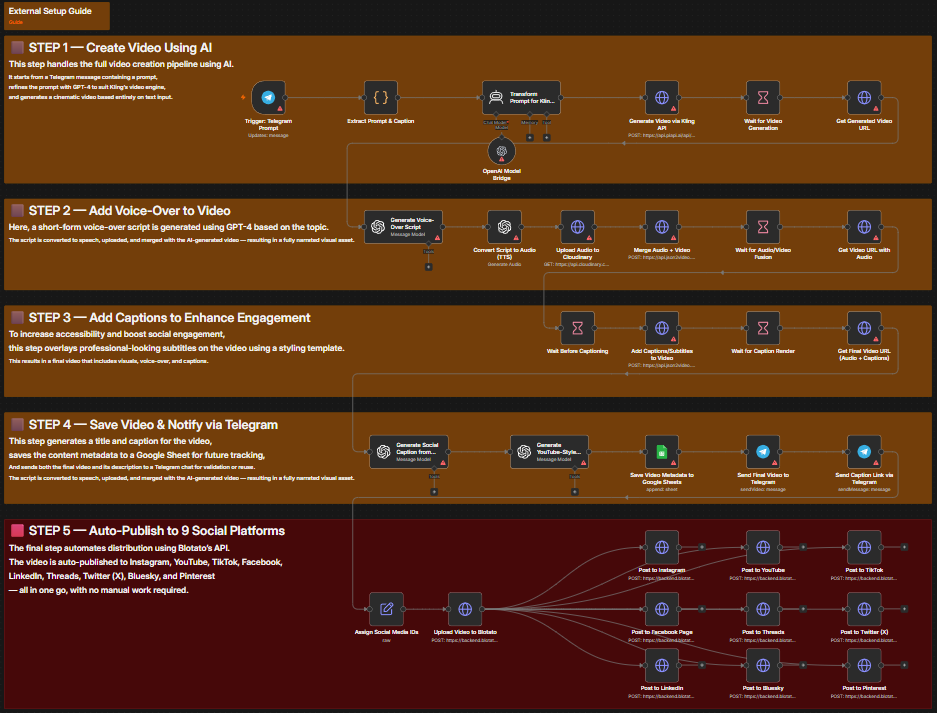
A 5-step n8n workflow that transforms a plain text prompt into a professional short-form video using Kling AI, adds a GPT-4-written voice-over via TTS, overlays auto-captions, then distributes simultaneously to Instagram, YouTube, TikTok, Facebook, Threads, Twitter/X, LinkedIn, Bluesky, and Pinterest via Blotato.
Free download · enter your email · 12 months of updates
How it works
5 steps, fully automated
Every step is a discrete n8n node — observable, retryable, and replaceable without touching the rest of the workflow.
Generate Cinematic Video from Text
Send "generate video [visual description], [caption idea]" to your Telegram bot. GPT-4 transforms the short description into a richly detailed cinematic prompt for Kling AI. Kling generates a 10-second 9:16 vertical video at Full HD quality. The workflow waits 7 minutes for rendering to complete.
Telegram trigger · GPT-4 prompt optimization · Kling AI 1.6 via PiAPI · 7-min renderAdd AI Voice-Over
GPT-4o generates an 18–22 word voice-over script tailored to the caption topic — tight, impactful, and paced for 7 seconds. OpenAI TTS converts it to speech, the audio is uploaded to Cloudinary, and JSON2Video merges it with the generated video.
GPT-4o voice-over script · OpenAI TTS · Cloudinary upload · JSON2Video audio mergeAdd Auto-Captions
JSON2Video overlays professional auto-captions using the Oswald font with golden word highlights and a dark background — the same format used by top-performing viral creators. Caption render completes in approximately 1 minute.
JSON2Video subtitles · classic-progressive style · Oswald font · gold highlightsGenerate Metadata & Notify via Telegram
GPT-4o generates a compelling social media caption and a YouTube-style click title under 70 characters. All metadata (URL, title, description, original prompt) is saved to Google Sheets for tracking. The final video and caption are sent to Telegram for preview.
GPT-4o caption + YouTube title · Google Sheets logging · Telegram previewAuto-Publish to 9 Platforms
Blotato uploads the final captioned video and simultaneously publishes it to Instagram, YouTube (Unlisted), TikTok (AI-content label), Facebook, Threads, Twitter/X, LinkedIn, Bluesky, and Pinterest — using the GPT-generated description across all platforms.
Blotato API · 9 simultaneous posts · platform-specific settings · parallel executionRequirements
What you need to run it
Every integration below is required to run the full workflow. Most offer free tiers sufficient for testing.
Telegram Bot
The workflow trigger. Send a prompt via Telegram and receive the finished video + caption when everything is live on social media.
Get started at core.telegram.orgOpenAI GPT-4 / GPT-4o
Three distinct AI tasks: Kling prompt optimization (GPT-4 mini), voice-over script writing (GPT-4o), and social media caption + YouTube title generation (GPT-4o).
Get started at openai.comKling AI via PiAPI
State-of-the-art text-to-video generation at version 1.6. 9:16 aspect ratio, 10-second duration, standard quality mode.
Get started at piapi.aiOpenAI TTS
Converts the GPT-4o voice-over script to realistic narration audio for the video. Natural, paced speech synthesis from the OpenAI TTS API.
Get started at openai.comJSON2Video
Handles two post-production tasks: audio+video merge (step 2) and auto-caption overlay with professional styling (step 3).
Get started at json2video.comCloudinary
Stores and serves the TTS audio file with a stable public URL for JSON2Video to access during the merge step.
Get started at cloudinary.comBlotato
Multi-platform video publishing API. One video upload, nine simultaneous social media posts with per-platform formatting.
Get started at blotato.comGoogle Sheets
Tracks every generated video with its prompt, title, caption, video URL, and posting timestamp — for content calendar management.
Get started at sheets.google.comUse cases
Who this workflow is for
The workflow adapts to any team or stack. Below are the most common deployments.
Marketing teams producing daily video content at scale
Coaches and consultants building personal brands without video editing skills
E-commerce brands generating product-focused social videos on demand
News publishers creating visual summaries of daily headlines
Agencies delivering high-volume video content for multiple clients
Setup
5 steps to go live
From zero to running automation. A self-hosted or cloud n8n instance is the only infrastructure you need.
Import the workflow into n8n
Download the JSON from Twarx. In your n8n instance, go to Workflows → Import from file and upload the JSON. All 5 steps and connections import automatically.
Add API credentials
Configure credentials for: Telegram Bot (token + webhook), OpenAI API key (covers GPT-4, GPT-4o, and TTS), PiAPI key (for Kling AI video generation), JSON2Video API key, Cloudinary (API key + secret), and Blotato API key.
Enter your social media account IDs
Open the "Assign Social Media IDs" node. Enter your Blotato account IDs for each platform (Instagram, YouTube, TikTok, Facebook, Threads, Twitter/X, LinkedIn, Bluesky, Pinterest). Include Pinterest board ID and Facebook page ID.
Link your Google Sheet
Create a Google Sheet for video tracking. Connect it to the "Save Video Metadata to Google Sheets" node. Required columns: PROMPT, DESCRIPTION, URL VIDEO, Titre (YouTube title).
Send your first prompt
Message your Telegram bot: "generate video [visual scene description], [caption topic]". The workflow generates the video, adds voice-over and captions, and publishes to all 9 platforms. You receive a Telegram notification with the video link and caption when done.
Related
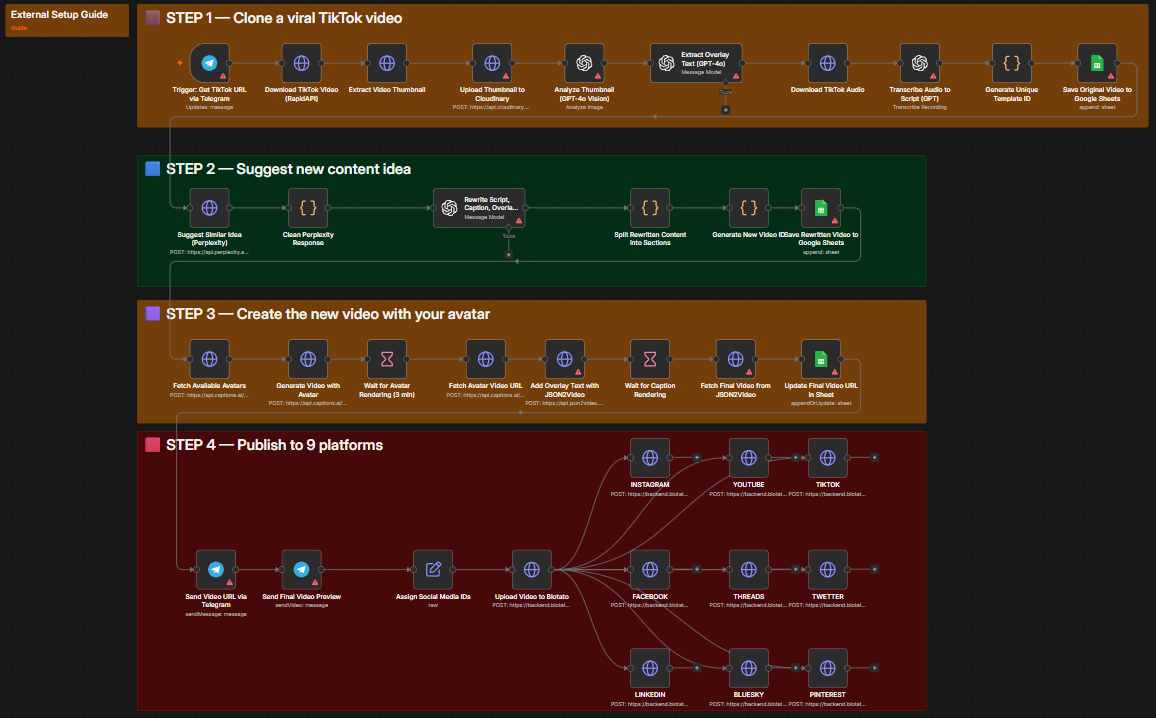
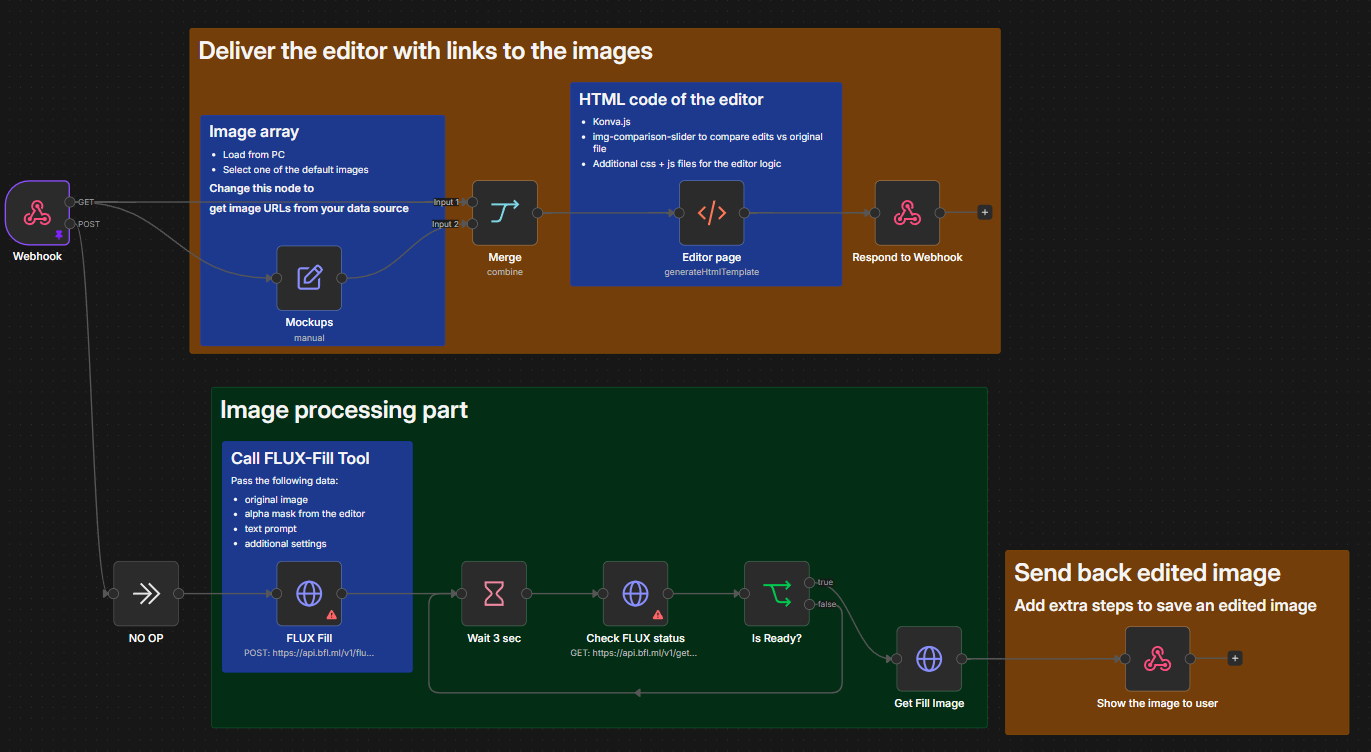
More workflows
Get started
Ready to automate?
Download the workflow JSON for free and import it into n8n. Need implementation help? Contact the Twarx team for a free consultation.